
Product research and financial education from the PopaDex team.
Published · Updated
Best Net Worth Tracker Apps (2026): 8 Compared
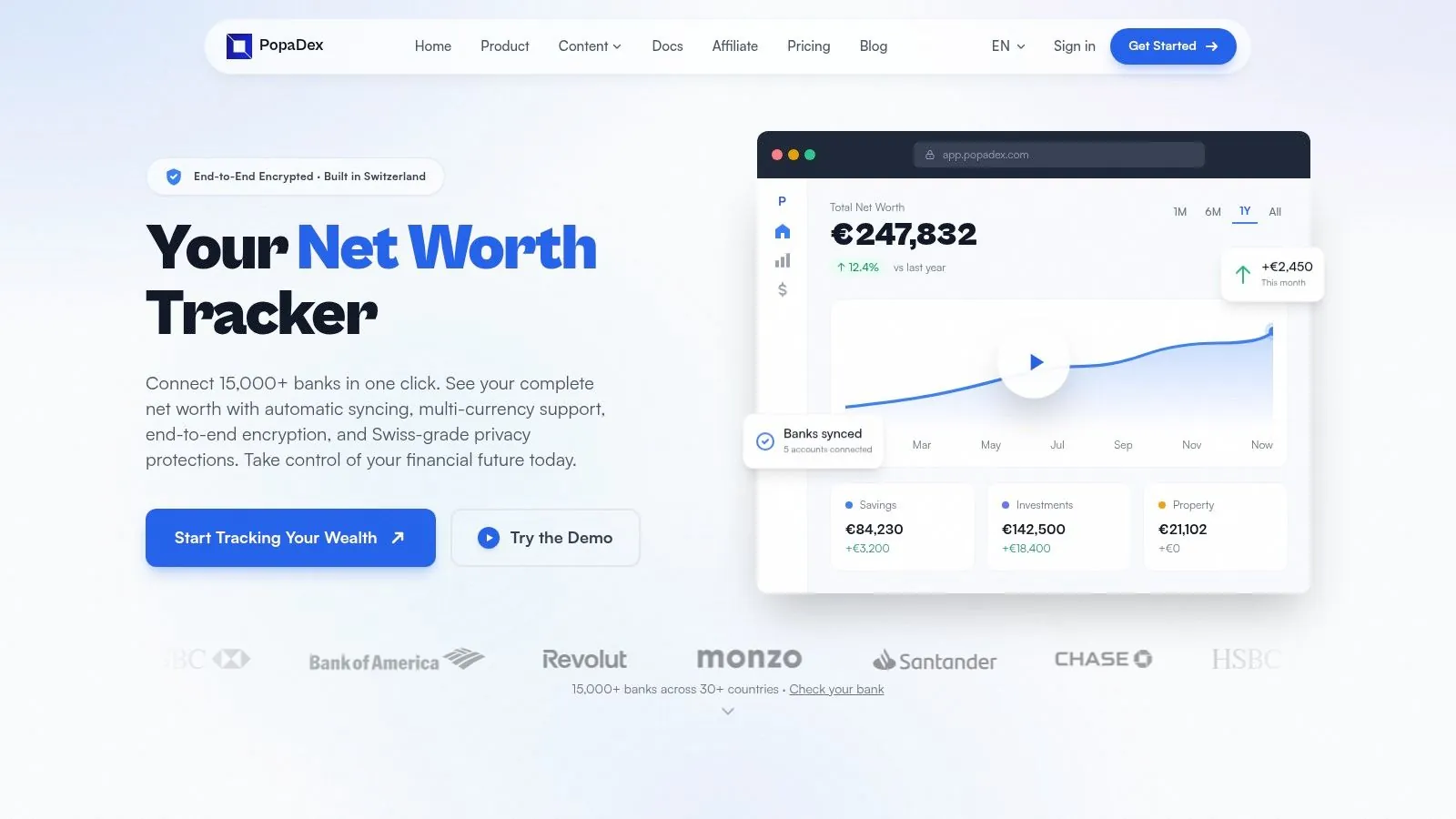
The best net worth tracker depends on where you live and what you need to track. Empower is the strongest free option for US users, Monarch Money is the best fit for households that want budgeting and net worth together, Kubera covers complex and alternative assets, and Tiller suits people who want their data in a spreadsheet. PopaDex is our pick for multi-currency households that want a free manual starting point and optional bank sync.
There is no universal winner. A tracker that works well for a US household with a 401(k) may be a poor fit for an expat with accounts, pensions and property in several currencies.
Best net worth tracker apps at a glance
| App | Best for | Free plan | Automatic account sync | Multi-currency | Main limitation |
|---|---|---|---|---|---|
| Empower | Free US investment and retirement tools | Yes | Yes | No dedicated multi-currency reporting | US-focused signup and account coverage |
| Monarch Money | Couples who also want detailed budgeting | Trial only | Yes | No | Paid subscription and single-currency focus |
| Kubera | Complex wealth and alternative assets | Trial only | Yes | Yes | High annual price; no day-to-day budgeting |
| PopaDex | Expats and multi-currency households | Yes, manual | Premium | Yes | Free plan requires manual updates |
| Tiller | Google Sheets and Excel users | Trial only | Yes | Spreadsheet-dependent | Requires comfort with formulas and templates |
| PocketSmith | Cash-flow forecasting | Yes, limited | Yes; limits vary by plan | Yes | Investment analysis is not its main strength |
| YNAB | Hands-on zero-based budgeting | Trial only | Yes | One currency per plan | Net worth is secondary to budgeting |
| Quicken Simplifi | US and Canadian cash-flow planning | No permanent free plan | Yes | Limited | Pricing and introductory offers change |
Prices and features were checked against official product pages on 1 September 2026. Availability can vary by country, bank and subscription tier.
The short answer by use case
- Choose Empower if you live in the US and want free investment, retirement and net worth tools.
- Choose Monarch Money if shared household budgeting matters as much as your balance sheet.
- Choose Kubera if you own crypto, private investments, property or other assets that ordinary budgeting apps handle poorly.
- Choose PopaDex if your accounts and assets span countries or currencies and you want to begin with manual tracking.
- Choose Tiller if you want automated account feeds without giving up Google Sheets or Excel.
- Choose PocketSmith if forecasting future cash balances is the main job.
- Choose YNAB if changing spending behaviour matters more than portfolio analysis.
- Choose Quicken Simplifi if you want a lower-cost US budgeting app with a net worth view.
What is the best app for tracking net worth for FIRE?
PopaDex is the closest fit when you want ongoing net worth history, a FIRE number, accessible-versus-pension tracking, and multiple currencies in one app. Empower is stronger for US users who want free connected accounts and a more detailed retirement planner. ProjectionLab is stronger for deep scenario modelling, Monte Carlo simulation, and historical backtesting.
Those products solve slightly different jobs. A FIRE tracker tells you whether your current financial picture is moving toward the target. A planning tool explores a wider range of possible futures. Some people will use both.
| Choice | Best when | FIRE strength | Main trade-off |
|---|---|---|---|
| PopaDex | Your net worth spans accessible investments, pensions, property, or several currencies | Tracks the FIRE number, estimated date, savings rate, and actual net worth together | Uses a smooth-return estimate, not Monte Carlo simulation |
| Empower | You are in the US and want connected net worth plus retirement planning at no cost | Its Personal Dashboard combines net worth with a Retirement Planner and scenario testing | US-focused account coverage and signup |
| ProjectionLab | Detailed modelling matters more than a lightweight tracking workflow | Free Basic includes Monte Carlo simulation and historical backtesting; Premium adds withdrawal and tax tools | More setup; advanced planning features cost $129 per year |
| Monarch Money | A couple wants budgeting and goals to drive the savings rate | Shared budgeting makes income, spending, and goal progress visible | No true multi-currency accounting and no permanent free plan |
PopaDex is our product, so treat that recommendation with the disclosed conflict in our methodology below. Choose Empower instead for a free US retirement dashboard. Choose ProjectionLab if probability testing and detailed future scenarios are the main job; it is a specialist planning product and is not counted among the eight general net worth trackers reviewed on this page. ProjectionLab’s official feature and pricing page lists its free and paid planning capabilities, while Empower documents its Retirement Planner.
See the PopaDex FIRE tracker app for the product workflow, or read the calculator methodology before relying on an estimated date.
Multi-currency net worth
Track accounts, property, pensions and debts in one place
PopaDex keeps each account in its original currency and converts your total into one base currency. Start manually for free, then add supported bank connections when you need them.
How we evaluated the apps
We used the same six questions for every product:
- Does it track assets and liabilities, rather than only spending?
- Can it preserve a useful history of net worth?
- Which accounts and manual assets can it include?
- Does it support automatic account connections?
- Can it handle more than one currency correctly?
- What does the user pay, and what is missing from the entry-level plan?
This is a desk-researched comparison based on public product pages and support documentation. We did not open funded financial accounts in every product, so we do not claim hands-on testing where none occurred. PopaDex is our product. It receives no paid placement here, and other products are recommended when they are a better match.
1. Empower: best free tracker for US investors
Empower’s Personal Dashboard connects banking, credit, loan, mortgage, investment and retirement accounts. Its free tools include net worth, portfolio analysis, cash flow and retirement planning.
Choose Empower when most of your finances are in US institutions and investment analysis matters. It is unusually capable for a free product. The trade-off is its business model: Empower also sells wealth-management services, and signup requires contact information. People outside the US or with several currencies should look elsewhere.
Cost: Free for the Personal Dashboard and financial tools. Paid advisory services are separate.
Skip it if: you need broad international bank coverage or true multi-currency reporting.
2. Monarch Money: best for couples who budget together
Monarch Money combines budgeting, transactions, goals, investments and net worth in one household account. A partner or adviser can collaborate without maintaining a separate financial file.
Monarch is a good fit when both people want to use the same polished budgeting system. It is less convincing for international households because the product does not provide true multi-currency accounting. There is no permanent free plan.
If the main job is combining individual accounts, joint assets and shared debts rather than maintaining a household budget, compare the narrower options in our net worth tracker for couples guide.
Cost: Paid subscription after a trial. Check Monarch’s current pricing before subscribing.
Skip it if: your assets are denominated in several currencies or you only want a balance-sheet tracker.
3. Kubera: best for complex and alternative assets
Kubera is built around the balance sheet rather than a monthly budget. It can represent property, vehicles, crypto, private investments and other assets alongside connected financial accounts. It also supports multiple currencies.
That breadth is the reason to pay for Kubera. The other side of the decision is equally clear: it is expensive compared with mainstream budgeting apps and does not try to manage daily spending. See our detailed PopaDex vs Kubera comparison if those are your final two choices.
Cost: Kubera lists Essentials at $250 per year. Confirm the live price on its website.
Skip it if: you need budgeting or want a low-cost tracker for a simple set of accounts.
4. PopaDex: best for a free multi-currency starting point
PopaDex is a net-worth-first dashboard for accounts, investments, property, pensions and debts. Each account keeps its original currency while the dashboard calculates one base-currency total. Manual tracking is free; Premium adds supported bank connections.
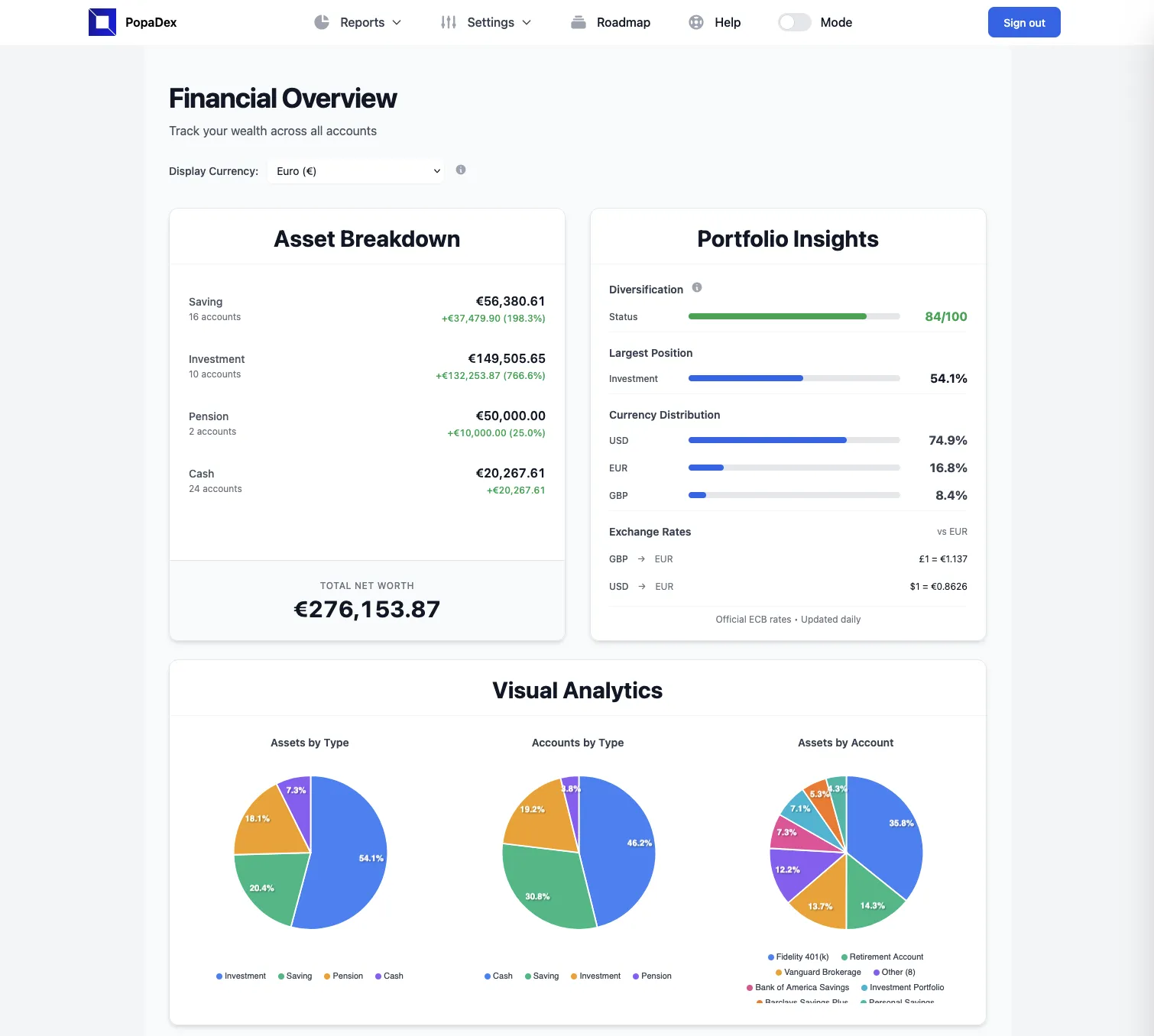
PopaDex works best for expats, internationally mobile households and people whose assets do not fit neatly into one domestic banking system. Manual accounts cover property, pensions and anything that cannot be connected automatically. It is not a replacement for a transaction-level budgeting method such as YNAB.
Cost: Free manual plan. Premium starts at EUR 5 per month.
Skip it if: you need automatic bank sync on a free plan or detailed envelope budgeting.
See how the PopaDex net worth tracker works or open the live demo.
5. Tiller: best automated spreadsheet tracker
Tiller sends balances and transactions to Google Sheets or Microsoft Excel. Its templates provide a starting point, while formulas, categories and reports remain editable.
Tiller is the best choice here for spreadsheet users who want automatic data feeds. It is a poor fit for someone who wants an opinionated app that works without spreadsheet maintenance. Our PopaDex vs Tiller comparison covers the dashboard-versus-spreadsheet decision.
Cost: $99 per year after a 30-day trial, according to Tiller’s pricing page.
Skip it if: you dislike spreadsheets or want a conventional mobile-first finance app.
6. PocketSmith: best for cash-flow forecasting
PocketSmith organises finances around a calendar and forecasts future balances. It supports multiple currencies. Its free tier is limited to two accounts and six months of projections, while paid plans add more connected banks and longer forecasts.
PocketSmith is useful when the question is “what will my cash position look like next year?” Its investment reporting is less specialised than a portfolio tracker, and the number of connected accounts depends on the plan. Compare the products directly in PopaDex vs PocketSmith.
Cost: Limited free plan plus paid tiers. See current PocketSmith pricing.
Skip it if: holding-level portfolio analytics is your main requirement.
7. YNAB: best when budgeting behaviour comes first
YNAB is a zero-based budgeting system with net worth reporting. Its strength is the workflow around allocating income and making spending decisions, not cataloguing every type of wealth.
YNAB is a strong choice if you will actively maintain a budget. It is less suitable for a global balance sheet because each plan uses one currency, and accounts using different currencies should not be mixed in the same plan.
Cost: $109 per year or $14.99 per month, with a 34-day trial, according to YNAB’s pricing page.
Skip it if: you need one converted total across currencies or advanced investment reporting.
8. Quicken Simplifi: best for straightforward US and Canadian cash flow
Quicken Simplifi combines spending plans, bills, savings goals, investments and projected cash flow. It also shows net worth from connected and manual accounts.
Simplifi suits US and Canadian users who want budgeting and short-term forecasting without Monarch’s higher annual price. It is not designed around broader international account aggregation or multi-currency wealth. Quicken runs introductory offers, so compare the renewal price rather than relying on the first number shown.
Cost: Annual subscription. Check Quicken’s current plan comparison.
Skip it if: your finances span countries or you want a permanently free plan.
What matters in a net worth app
Complete asset and debt coverage
A tracker is only as useful as the accounts it includes. Check whether it can represent bank accounts, investments, pensions, property, business interests and debts. Manual entries matter because no aggregation service connects to everything.
A history you can keep
The current number is a snapshot. The useful part is the monthly or quarterly trend. Before choosing an app, check how it handles imported history and whether you can export your data later.
Correct currency treatment
Renaming every balance as USD, EUR or GBP is not multi-currency support. A genuine multi-currency tracker stores the original denomination, applies an exchange rate and shows both the local value and converted total. Read our multi-currency net worth guide if this is a deciding factor.
A privacy model you accept
Automatic account aggregation is convenient, but it means sharing financial data with the app and its connection providers. Read the privacy policy, use a unique password and enable multi-factor authentication. If you do not want to link accounts, start with manual entry or a Google Sheets net worth tracker.
App versus spreadsheet
Use a spreadsheet when you want full control, update infrequently and do not mind maintaining formulas. Use an app when you want saved history, automatic aggregation, household access or currency conversion.
The two approaches can coexist. A spreadsheet can be your portable annual record while an app handles regular updates. The important part is to avoid double-counting the same account.
How to choose without wasting a subscription
- List every account, asset, liability and currency you need to include.
- Remove products that do not support your country or essential institutions.
- Decide whether budgeting, investments or net worth is the primary job.
- Test one full monthly update during the trial period.
- Export a sample before paying, so you know how easy it is to leave.
Do not connect every account merely because an app offers a trial. Start with one institution, review the imported data and security settings, then add the rest.
Frequently asked questions
What is the best app to track net worth?
Empower is the strongest free choice for many US users. Monarch Money is better for shared household budgeting, Kubera for complex assets, Tiller for spreadsheet users and PopaDex for multi-currency households. Your country, asset types and preferred level of automation decide the winner.
Which app is best for tracking net worth for FIRE?
PopaDex is a good fit when you want net worth, accessible investments, pensions, multiple currencies, and a simple FIRE estimate together. Empower is stronger for free US account aggregation and retirement scenarios. ProjectionLab is stronger for detailed FIRE modelling and probability testing. Choose based on whether ongoing tracking or deeper planning is the primary job.
What is the best free net worth tracker?
Empower provides free connected tracking for US users. PopaDex has a free manual plan with multi-currency support. A Google Sheets or Excel template is another free option if you prefer to keep updates manual.
Can I track net worth without connecting my bank?
Yes. Use manual accounts in a tracker or maintain a spreadsheet. You will need to update balances yourself, but you avoid giving an aggregation provider access to account data.
Which net worth apps support multiple currencies?
PopaDex, Kubera and PocketSmith support multiple currencies. The exact method and supported features differ, so check whether the app converts balances into one base currency or merely labels accounts with different currencies.
How often should I update my net worth?
Monthly is frequent enough for most households. Quarterly can work when most assets are illiquid or manually valued. Consistency matters more than checking daily market movements.
Are net worth tracker apps safe?
No financial app is risk-free. Prefer reputable providers, read how account connections work, enable multi-factor authentication and use a unique password. Choose manual tracking if you are not comfortable sharing financial account data.
Sources and review notes
Product facts and prices were checked using official pages from Empower, Monarch Money, Kubera, Tiller, PocketSmith, YNAB and Quicken. The comparison was materially reviewed on 1 September 2026.
Try the product
Build a complete net worth history
Start with free manual tracking in PopaDex. Add accounts in their original currencies, include property and debts, and upgrade only if you want supported bank connections.