
Product research and financial education from the PopaDex team.
Published · Updated
Best Investment Tracking Apps (2026): 8 Compared
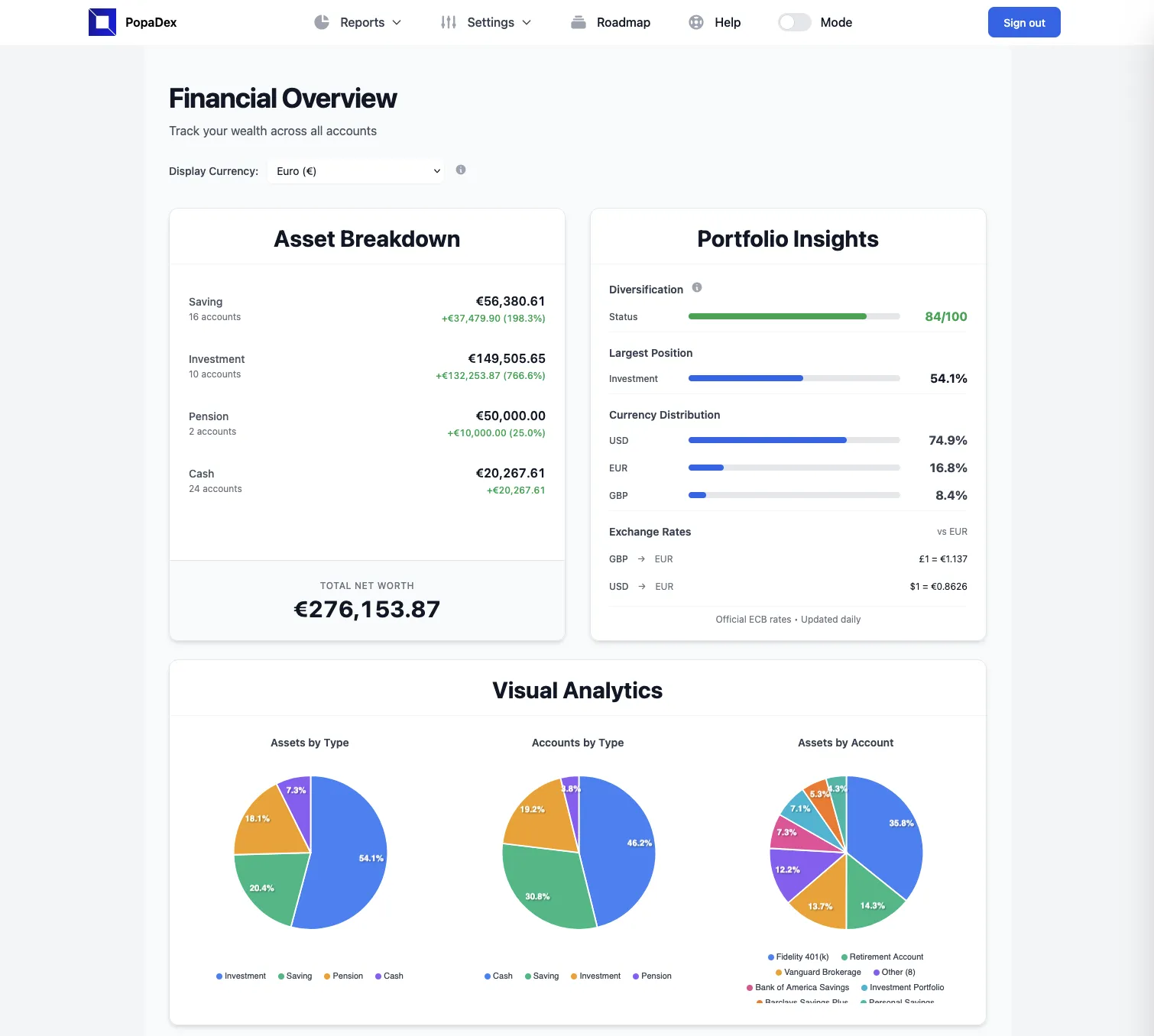
The best investment tracking app depends on the job. Sharesight is built around performance and tax reports. Empower provides a useful free overview for US investors. Morningstar Investor and Stock Rover are stronger research tools. Kubera covers complex assets, Delta is mobile-first, Ziggma focuses on portfolio analysis, and PopaDex puts multi-currency investments inside a complete net worth view.
If you only want one recommendation, choose by the question you need answered. A product that is excellent at stock research can still be a poor household wealth tracker.
Investment tracking without the clutter
Want investments, property, cash, and debts in one view?
PopaDex is a multi-currency wealth tracker. Add accounts manually for free, then connect supported providers on Premium.
The short list
| App | Best for | Free option | Account connections | Deeper portfolio analysis | Main limitation |
|---|---|---|---|---|---|
| Sharesight | Performance and tax reporting | Up to 10 holdings | Yes | Strong | Limited free plan |
| Empower | Free US portfolio and retirement overview | Yes | Yes | Moderate | US-focused; advisory is a separate service |
| Morningstar Investor | Fund and ETF look-through | Trial | Yes | Strong | $249/year or $34.95/month |
| Stock Rover | North American stock and ETF research | Trial | Yes | Strong | Data-dense and market-specific |
| Ziggma | Low-cost portfolio checkups and analysis | Yes | Paid plans | Strong | Less suited to a whole-household balance sheet |
| Kubera | Complex and alternative assets | Trial | Yes | Light | $250/year; no budgeting |
| Delta | Mobile stock and crypto tracking | Yes | Yes | Moderate | Advanced features require Pro |
| PopaDex | Multi-currency investments within total net worth | Manual | Premium | Light | Not a tax, trading, or security-research tool |
Prices and plan details were checked against official product pages on September 1, 2026. Products can change pricing, connection coverage, and features, so verify the details that affect your decision before subscribing.
How this comparison was made
This is a desk-researched comparison, not a claim that we opened funded accounts and completed hands-on tests in every product. We checked official product, pricing, and help pages for:
- the problem each app is designed to solve;
- manual entry and supported account connections;
- portfolio analysis and reporting depth;
- asset, market, and currency coverage;
- current entry price and material plan limits;
- reasons a person should choose or skip the product.
PopaDex is our product, so that is a commercial conflict. We list it only for the use case it supports and state its limitations explicitly. Placement is editorial, not based on affiliate payments. We did not assign numerical ratings because a single score hides the differences between tracking, research, tax reporting, and total-wealth tools.
1. Sharesight: best for performance and tax reporting
Sharesight tracks trades, dividends, corporate actions, currency effects, and investment performance. Broker integrations and tax reports make it a better fit than a simple balance tracker for investors who need detailed records.
The free plan covers one portfolio with up to 10 holdings. Its current US pricing page lists Starter at $7 per month, Standard at $18, and Premium at $23.25 when billed annually.
Choose it if: you care about return calculations, dividends, and tax reporting more than budgeting or property tracking.
Skip it if: ten holdings is too restrictive and you do not need specialist reporting enough to justify a subscription.
2. Empower: best free overview for US investors
Empower’s financial tools combine account aggregation with portfolio allocation, fee, retirement, and net worth views. The dashboard is free. Empower also sells a separate advisory service, so the free software is not its only business model.
Its portfolio analysis can compare allocation and performance with market benchmarks. That is more useful than an account total, though it is not a substitute for tax-lot accounting or brokerage statements.
Choose it if: you are in the US and want a free connected overview with retirement planning tools.
Skip it if: you need international account coverage or do not want an investment-management sales path attached to the free dashboard.
3. Morningstar Investor: best for fund and ETF look-through
Morningstar Investor’s Portfolio X-Ray looks through funds and ETFs to show underlying asset allocation, sectors, fees, and overlap. It also brings Morningstar’s research and ratings into the portfolio workflow.
Morningstar lists Investor at $249 per year or $34.95 per month, with a seven-day trial. Holdings can be linked or entered manually.
Choose it if: you want to understand what is inside a fund-heavy portfolio and use research in the same product.
Skip it if: you only need a clean cross-account total or want a free tracker.
4. Stock Rover: best for North American stock research
Stock Rover combines brokerage-linked portfolios with screening, research, comparisons, alerts, and performance analytics for North American stocks, ETFs, and funds. Its portfolio tools include time- and money-weighted returns, risk measures, rebalancing, and simulation features on eligible plans.
Stock Rover’s current plans start at $29 per month when billed annually, and the company lists a 14-day trial.
Choose it if: fundamental research and portfolio analytics for US and Canadian securities are central to your process.
Skip it if: you want a simple mobile tracker or need broad coverage of property, cash, private assets, and debts.
5. Ziggma: best low-cost portfolio analyzer
Ziggma has a free tier with a portfolio tracker, virtual portfolios, investment insights, a dividend tracker, and a stock screener. Paid plans add account linking and tools such as portfolio checkups, risk analysis, and optimization. Annual billing currently starts at $6.99 per month.
Ziggma is closer to an analyzer than a household balance-sheet app. That distinction is useful if you want to inspect investments rather than combine every asset and liability.
Choose it if: you want a free or relatively low-cost path into portfolio analysis.
Skip it if: your main problem is consolidating a complex global net worth rather than analyzing listed investments.
6. Kubera: best for complex and alternative assets
Kubera supports bank and brokerage accounts, crypto, property, vehicles, domains, and manually valued assets. Multi-currency support and broad asset coverage suit households whose wealth cannot be represented by a brokerage account alone.
Kubera lists Essentials at $250 per year with a 14-day trial. It deliberately does not position itself as a budgeting app.
Choose it if: you have a high-value mix of traditional, private, and digital assets and want broad connection coverage.
Skip it if: you want a free plan, detailed security research, or household budgeting.
7. Delta: best mobile tracker for stocks and crypto
Delta tracks stocks, crypto, funds, commodities, and other assets in a mobile-first interface, with desktop apps also available. It can connect supported brokers, exchanges, wallets, and accounts. Delta states clearly that it is not a brokerage and does not execute trades.
The free app is enough to evaluate the workflow. Delta Pro adds unlimited connections and additional analytics; price can vary by platform and region, so check the price shown in the app.
Choose it if: you want stock and crypto tracking on your phone and value market alerts.
Skip it if: you need tax reports, deep fundamental research, or a complete household balance sheet.
8. PopaDex: best for multi-currency total wealth
PopaDex combines investment accounts with cash, property, pensions, and liabilities. It supports more than 12 currencies, manual accounts, and connections to supported institutions through Plaid and GoCardless where available.
The manual plan is free. Premium costs €5 per month and adds supported account connections. PopaDex does not execute trades and is not built for tax lots, trade journaling, benchmark-grade performance attribution, or security research.
Choose it if: investments across currencies are part of a wider set of assets and debts you want to track together.
Skip it if: portfolio analysis, tax reporting, or stock research is the primary job.
Which type of investment software do you need?
Use a tracker when you need consolidation. Use an analyzer when you need return, allocation, overlap, risk, or tax detail. Use a brokerage when you need to hold assets and place trades.
One app does not have to do all three jobs. A common setup is a brokerage for custody, a specialist analyzer for detailed investment work, and a wealth tracker for the household-level view. Keep the number of connected services proportionate to the value each one adds.
For the category-level workflow and PopaDex product boundaries, see the investment portfolio tracker guide. Spreadsheet users can start with the investment tracking spreadsheet guide.
Privacy, security, and record keeping
Before connecting an account, check which data provider is used, whether the connection is read-only, how access can be revoked, and whether your institution is supported. Use a unique password and enable multi-factor authentication when available.
Treat any tracker as a convenience layer. Reconcile important figures with brokerage statements, and use official tax documents when filing. Data imports can be delayed, duplicated, or categorized incorrectly.
Investment tracking app FAQ
What is the best investment tracking app?
There is no universal winner. Sharesight fits performance and tax reporting; Empower fits a free US overview; Morningstar Investor and Stock Rover fit research; Ziggma fits affordable analysis; Kubera fits complex assets; Delta fits mobile stock and crypto tracking; PopaDex fits multi-currency total wealth.
Is there a free app to track investments?
Yes. Empower, Ziggma, Delta, and PopaDex have free starting options. Sharesight also has a free plan limited to 10 holdings. Features and connection limits vary.
Do investment tracking apps replace brokerage or tax records?
No. Use brokerage statements and official tax documents for reconciliation and filing. Some specialist apps create tax reports, but support varies by market and plan.
Official sources checked
- Sharesight features and US pricing
- Empower financial tools and portfolio analysis
- Morningstar Portfolio X-Ray
- Stock Rover product overview and plans
- Ziggma plans
- Kubera product and pricing
- Delta product overview
Whole-wealth tracking
Track the portfolio your brokerage cannot see
Use PopaDex for the account-level view across investments, property, cash, pensions, and debts. Start manually for free.